

















 ᴀʟʟ ɪɴ ᴏɴᴇ ɢᴀᴍɪɴɢ
 ᴛᴇʟᴇɢʀᴀᴍ ʙᴏᴛ
 ꜱᴘᴏʀᴛ ᴛᴠ


TONY99 APP DOWNLOAD MALAYSIA
Use this TONY99 app download guide to check Android and iPhone access, official installation sources, device compatibility, app safety, login steps and solutions for common download or loading problems.
Register with TONY99TONY99 App Guide Contents
Choose a section for Android, iPhone, installation or troubleshooting information.
What Is The TONY99 App?
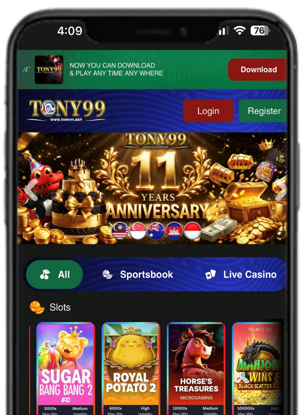
The TONY99 app refers to a supported mobile-access option provided through official TONY99 information. Depending on the current device and platform setup, users may be directed to an Android, iPhone or mobile-browser method.
Because download methods and device support can change, the official TONY99 page should always be the starting point. Do not assume that a file or app using the TONY99 name is genuine without checking its source, developer information and requested permissions.
How To Verify A TONY99 App Download
A search result, message or advertisement is not enough to prove that a download is official. Use this checklist before installing anything:
- Start from the official website: Follow only the current download or access instructions displayed there.
- Check the app name: Make sure it matches the information shown on the official page.
- Check the developer: An unrelated name, poor description or copied artwork is a warning sign.
- Review the file or store page: Confirm the version, source and device requirements.
- Review permissions: Avoid apps requesting access that is unnecessary for their stated function.
- Stop when uncertain: Ask official support instead of installing an unknown file.
TONY99 Android App And APK Guide
Android users may search for terms such as “TONY99 APK” or “TONY99 Android app”, but an APK should never be installed only because its filename looks correct. Confirm the current official Android method first.
1. Open The Official Page
Use the complete official website address and locate the current mobile or Android instructions. Avoid shortened links and copied download pages.
2. Check Compatibility
Review the supported Android version, available storage and any browser or installation requirements shown on the official page.
3. Verify Before Installing
Check the filename or store listing, developer information, version and requested permissions before continuing.
4. Open And Sign In
After installation, confirm that the page or app identity matches the expected service before entering account details.
TONY99 App Access For iPhone And iPad
iPhone and iPad users should follow the currently supported official iOS or mobile-browser method. Availability may differ from Android, so do not copy Android installation steps onto an iPhone.
- Begin from the official TONY99 website.
- Check whether the current instruction uses an official app option or Safari access.
- Do not install unknown configuration profiles, certificates or device-management settings.
- Keep iOS and the selected browser updated.
- Use official support if the published steps do not match the device screen.
TONY99 App Vs Mobile Website
Mobile Website
Opens through Chrome, Safari or another compatible browser. It does not normally require a separate installation and can be refreshed or reopened from the official website.
Mobile App
May require a verified download, storage space, permissions and future updates. Installation steps depend on the currently supported device method.
For game browsing, browser compatibility and phone performance information, read the TONY99 mobile games guide.
Device And Connection Requirements
Exact requirements depend on the current access method, but these basic checks can reduce installation and performance problems:
- Use a supported and updated Android or iOS version.
- Keep sufficient storage and working memory available.
- Use a stable private Wi-Fi or mobile data connection.
- Update the browser or verified app when an official update is available.
- Close unnecessary background applications.
- Keep enough battery power for downloads or updates.
TONY99 App Login And Account Safety
Before entering login details, confirm that the app or page was reached through the official access method. The same account-safety rules apply on Android, iPhone and mobile browsers.
- Use a unique password that is not reused on another service.
- Never share a password, OTP or verification message.
- Do not save account information on a shared device.
- Avoid login links received from unknown messages or social accounts.
- Sign out after using a device that other people can access.
If account access fails, follow the TONY99 login guide instead of repeatedly entering information on an uncertain screen.
TONY99 App Download Or Installation Problems
Download Does Not Start
Check the connection, available storage and current official instructions. Reload the official page rather than opening another unknown download link.
Installation Is Blocked
Confirm that the device and file meet the published requirements. Do not weaken security settings for a file that has not been officially verified.
App Does Not Open
Restart the app or device, check the operating-system version, install official updates and confirm that enough memory is available.
Login Or Page Fails
Check the internet connection and account information. Use the official support channel without sharing a password or OTP.
App Updates, Permissions And Safety
Updates can improve compatibility or security, but they should come from the same verified source used for official access. Review the update information before installing it.
- Do not install an update received as an unrelated attachment.
- Review new permissions requested after an update.
- Remove an app if its identity or behaviour does not match official information.
- Keep the phone screen lock and device security features enabled.
- Use the platform safety guide for additional account and website checks.
TONY99 App Frequently Asked Questions
Where can I download the TONY99 app?
Start from the official TONY99 website and follow only the current download or access instructions shown there. Avoid APK files, profiles or links received from unknown sources.
Can I use the TONY99 app on Android?
Android access depends on the currently supported official option. Check the official page for device requirements, verify the file or store listing and review permissions before installing anything.
Can iPhone users access TONY99?
iPhone users can follow the currently supported official iOS or mobile-browser method. Do not install unknown configuration profiles or certificates.
What is the difference between the TONY99 app and mobile website?
The mobile website opens in a browser without a separate installation. An app may require a verified download, device permissions, storage space and updates.
Why is the TONY99 app not opening?
Check the internet connection, device storage, operating-system version and app update status. Restart the app or device and use official support if the problem continues.
More TONY99 Guides
Continue with related guides for mobile games, account access, game information, promotions and platform safety.